











NEW

$24.50/mo Coupon "BESTAITOOLS" 15% Off 6 Month
22
Modern AI video tools for creators and teams.

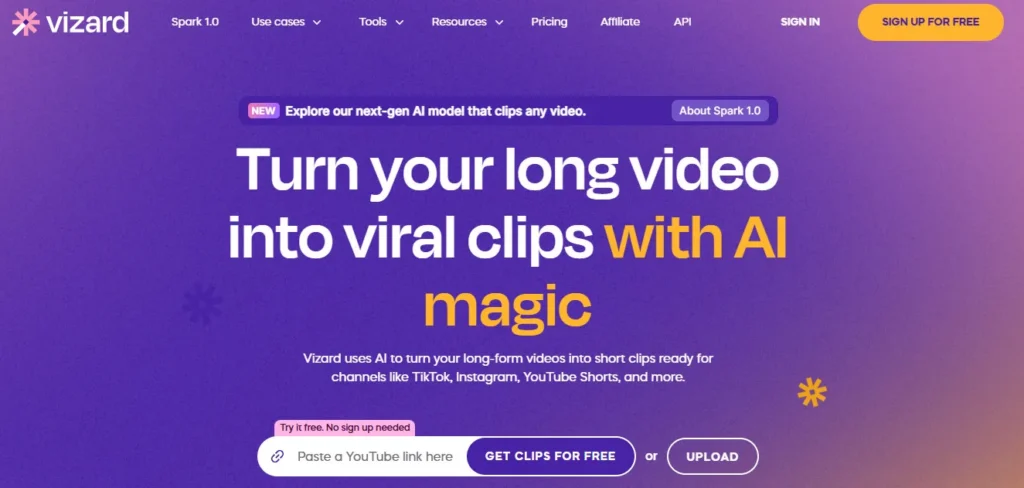
Transform long videos into viral clips in seconds.

Effortlessly create stunning AI art with Artspace AI's intuitive tools…
In the fast-paced world of content creation, turning long-form video content into bite-sized, shareable clips is a growing necessity. Vizard AI simplifies this process with a smart, AI-powered platform that automatically repurposes lengthy videos into polished, short-form content optimized for social media.
It helps creators, marketers, and podcasters stay relevant across platforms like TikTok, Instagram Reels, and YouTube Shorts. In this Vizard AI Review, we’ll explore everything from its core features to key integrations and alternatives.
Vizard AI is an AI video editing platform designed to automatically identify, trim, and reformat long-form video content into short, engaging clips for platforms like TikTok, Instagram Reels, YouTube Shorts, and LinkedIn. By leveraging advanced AI models, it pinpoints the most compelling moments, applies captions, and formats videos for maximum engagement—all with minimal user input.
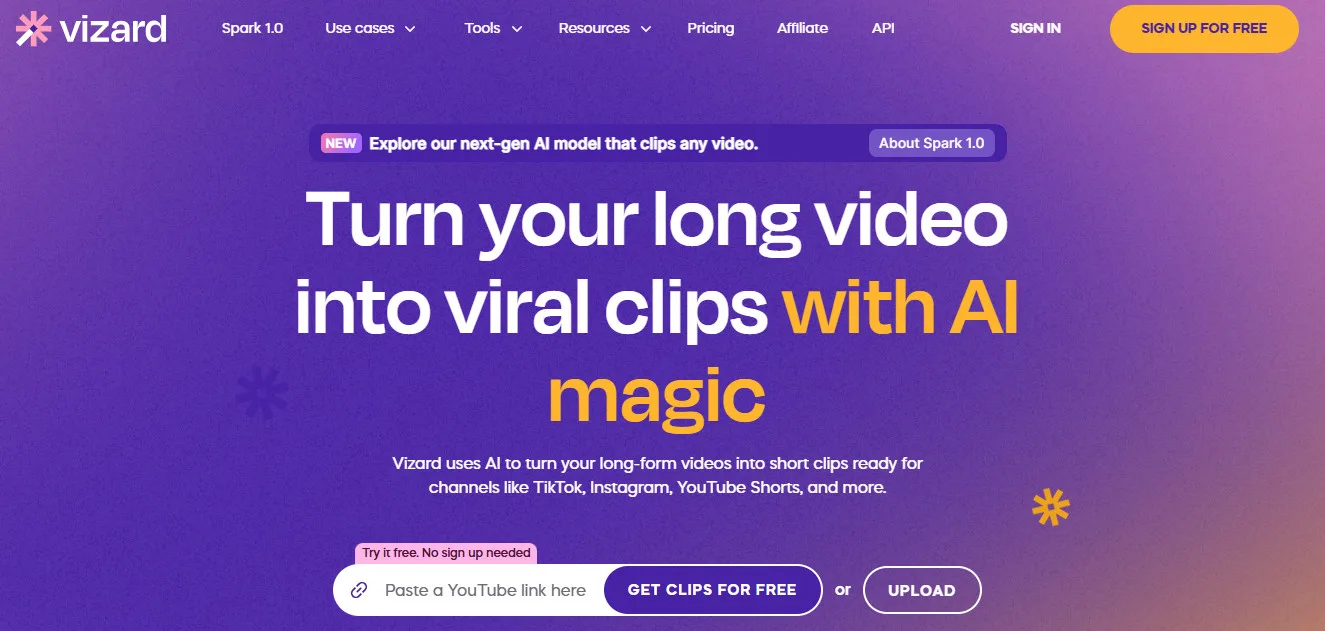
Its intuitive interface and content-aware automation make it especially popular among content creators, marketers, agencies, and podcast hosts who want to scale video content efficiently without hiring editors or using complex tools.
✔ Podcasters & YouTubers – Repurpose long interviews or discussions into digestible social media reels.
✔ Social Media Managers – Streamline content workflows and keep up with fast posting cycles.
✔ Marketing Teams – Create promotional video snippets from webinars or product demos.
✔ Online Course Creators – Share micro-learning moments from full-length lectures.
✔ Event Organizers – Convert conference footage into highlight reels.
✔ Recruiters – Turn recorded company culture or testimonial videos into social-friendly recruitment ads.
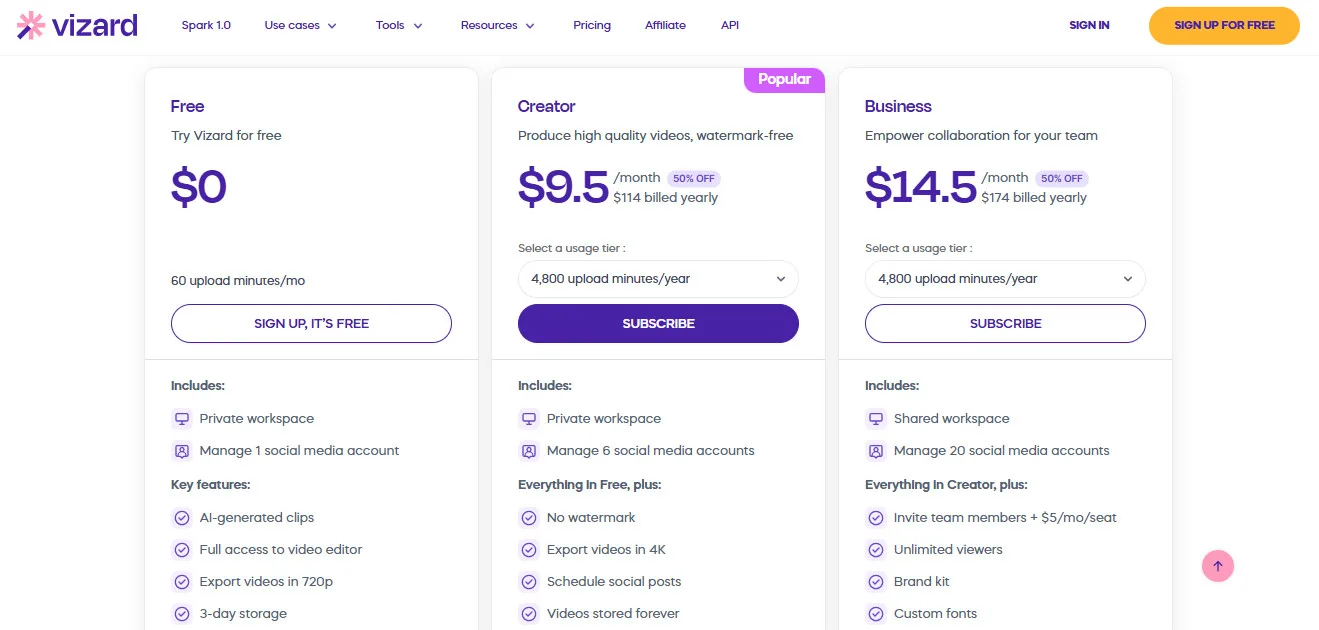
Vizard AI offers flexible plans to empower your video repurposing and content creation workflows:
Free ($0/month): Try Vizard for free and explore its basic video repurposing capabilities. This plan includes 60 upload minutes per month, a private workspace, and the ability to manage 1 social media account. Key features include AI-generated clips, full access to the video editor, export videos in 720p, and 3-day storage.
This plan is ideal for users who want to test out the platform and experiment with basic video editing and clipping.
Creator ($9.50/month or $114 billed yearly – Popular – 90% OFF): Produce high-quality, watermark-free videos and expand your social media presence. This plan includes everything in Free, plus no watermark, export videos in 4K, the ability to schedule social posts, videos stored forever, a private workspace, and the ability to manage 6 social media accounts, with a usage tier of 4,800 upload minutes per year.
This plan is designed for creators and small businesses looking to produce professional, high-resolution videos and manage multiple social media channels.
Business ($14.50/month or $174 billed yearly – 90% OFF): Empower collaboration within your team and manage a larger social media presence. This plan includes everything in Creator, plus a shared workspace, the ability to manage 20 social media accounts, invite team members (+$5/mo/seat), unlimited viewers, a brand kit, custom fonts, and a usage tier of 4,800 upload minutes per year.
This plan is ideal for teams and businesses that need to collaborate on video projects and manage a more extensive social media presence with branding options.
Disclaimer: Pricing details may change. Visit the official Vizard AI website for the latest information.
✔ LLM-Powered Highlight Detection – Combines transcription with meaning-based clip curation.
✔ Fully Automated Workflow – From transcription to subtitle and export, all steps are handled in a few clicks.
✔ Optimized for Social Growth – Engineered for engagement on TikTok, Reels, YouTube Shorts, and LinkedIn.
✔ Team Workspace Support – Share and collaborate with teammates, including role-based access.
✔ High-Speed Processing – Generates multiple clips in minutes, even from hour-long videos.
✔ Video Platforms: YouTube, Vimeo, Zoom, Loom
✔ Social Media Channels: TikTok, YouTube Shorts, Instagram Reels, LinkedIn
✔ Content Tools: Notion, Airtable (via export/import), OBS
✔ Cloud Storage: Google Drive, Dropbox (manual import)
✔ Export Options: MP4, Subtitle files (.srt), Custom aspect ratios
✔ Browser Support: Works in Chrome, Edge, Firefox—no downloads required
Looking for Vizard AI alternatives? Please Check out below Top 3 Vizard AI alternatives options to consider:


Each alternative offers unique features that might better suit your specific needs. Consider your primary use case, budget, and required features when choosing between these options.
Vizard AI is a powerful and user-friendly tool for content creators and marketers looking to capitalize on the short-form video boom. It stands out with its AI-based clip detection, automated subtitles, and optimized formatting for all major platforms.
While advanced editors may find it a bit restrictive, its simplicity, speed, and scalability make it a top choice for teams and solo creators alike. If you want to transform long videos into viral short clips without the editing headache, Vizard AI is a must-try.
It repurposes long-form videos into short, social media-optimized clips using AI.
Yes, it automatically generates accurate, stylized subtitles in 20+ languages.
Yes, you can paste a YouTube link directly or upload video files from your device or cloud storage.
Absolutely—it identifies engaging audio-visual moments and converts them into short podcast reels.
Yes, teams can work together on video projects with shared workspaces and roles.
Yes, Vizard AI offers a free plan with limited export quality and watermark branding.
Vizard AI is currently browser-based and best experienced on desktop browsers.
MP4, SRT subtitle files, and vertical, square, or portrait formats (9:16, 1:1, 4:5).
Yes, you can add logos, fonts, styles, and use branded templates for all exported clips.
Vizard is faster and more automated, while Opus Clip allows more detailed clip-level editing.
Did you find this content helpful?
Did you find this content helpful?
Effortlessly create stunning AI art with Artspace AI's intuitive tools…
Help others discover this tool by sharing this page.
No reviews yet. Be the first to share your thoughts!
Modern AI video tools for creators and teams.
Your shortcut to high-converting ads.
Your all-in-one social media hub.
All-in-One Outreach That Actually Scales
Your AI co-pilot for LinkedIn outreach.
Your scalable LinkedIn outreach engine.
Close deals with social selling.
A Confident Approach to Scaling Your Sales Outreach.
Your LinkedIn content creation co-pilot.
AI-powered way to build your LinkedIn professional brand.
Your B2B lead generation shortcut.
Your AI-powered creative partner for a new dimension.
The AI video editor that cuts hours of editing.
Your AI-Powered Studio-Quality Videos, No Studio.
Your AI-Powered Shortcut to Social Media Domination.
Your shortcut to viral short-form content.
Your AI-powered virtual Gen Z marketing team.
Your AI co-pilot for high-volume content creation.
Your AI-powered factory for viral shorts.
Effortlessly create and publish viral video content.
Automate Faceless Shorts & Scale Your Content.
The AI content repurposing engine for creators.
The AI-powered solution for a professional podcast site.
Turn your audio into endless content instantly.
Effortlessly create and manage your podcast website.
Convert long content into viral shorts with AI.
Automate video editing for social media success.
Turn long content into viral shorts with AI.
AI-powered image and video generation for designers.
Transform notes into an AI tutor, Study smarter, not harder.
Transform properties, Stage, Design, and Enhance.
Boost SEO with AI-driven content and insights.
B2B sales intelligence, Find, Engage, and Convert.
LinkedIn automation, Scale outreach, and Get leads.
LinkedIn branding, effortless growth.
Your Ultimate LinkedIn Growth Companion.
Cold email mastery, Leads to revenue, and Automated.
Scale outreach, Master deliverability, and Drive revenue.
Automate LinkedIn, Personalize outreach, and Scale leads.
Record, edit, enhance and Pro podcasts, zero fuss.
Automate affiliate programs for e-commerce & SaaS.
Automate affiliate & referral programs for SaaS.
Unify, track, and scale all your partnerships with ease.
Launch & scale SaaS affiliate programs with ease.
Ignite growth with automated referral & affiliate programs.
All-in-one AI for content, design, code, & automation.
Automate faceless videos: create, schedule, post, scale.
AI video editor: long to viral shorts, automated & efficient.